
Free Bates Stamp Alternatives: Browser Tools Compared (2026)
Looking for a free Bates stamp instead of a paid desktop license? Several browser-based tools can number a production without an account. The differences that matter are local processing, batch limits and whether the CSV log is free.
The short answer
Several free, browser-based Bates stamp tools can number PDFs without installing software. They differ in three ways that matter for legal work: whether files stay in your browser, how much you can process for free, and whether the Bates log CSV is included. This comparison reflects published features as of November 2026 — check each tool's current terms before relying on a limit.
| Tool | Free usage | Batch PDFs | Local processing | CSV log | Signup |
|---|---|---|---|---|---|
| LegalProofKit | Free, no tier | No artificial cap | Yes - runs in browser, verifiable offline | Included, with SHA-256 | None |
| BatesStamp.com | Free, limits not specified | Up to 100 PDFs | Yes (vendor-stated) | Production receipt | None |
| BatesLabel.com | Free | Multiple PDFs | Yes (vendor-stated) | Not advertised | None |
| BatesTool | Free tier | 3 files/job on free tier | Yes (vendor-stated) | Production index | None on free tier |
| Tolioo | Free, no watermark | Not clearly specified | Yes (vendor-stated) | Not advertised | None |
| PrivBay | Free | Up to 10 PDFs | Yes (vendor-stated) | Not advertised | None |
| BatesKit | 20 files / 60 pages | Up to 20 files | Yes (vendor-stated) | Production manifest | None |
| Bindery PDF | 3 jobs/day, 25 MB/file | Check current limits | Yes (vendor-stated) | Not advertised | None |
| PDF Overlay | Free during beta | One PDF at a time | Yes (vendor-stated) | Not advertised | None |
Note: "Yes (vendor-stated)" means the tool says it processes files locally, according to its own site - not an independent audit. LegalProofKit's local processing can be verified with the airplane-mode test: load the page, disconnect, then complete a stamping job. Free-tier figures and limits also come from vendor pages as of November 2026; check current terms before relying on them.
Which alternative should you choose?
| Your need | Suggested tool |
|---|---|
| Free, unlimited local stamping with an audit log | LegalProofKit |
| Batch processing up to 100 PDFs | BatesStamp.com or LegalProofKit |
| Visual stamp formats and colour options | BatesLabel or LegalProofKit |
| A single quick PDF | PDF Overlay or the LegalProofKit tool |
| Production quality checks and manifests | BatesKit |
| Ongoing case and sequence management | BatesTool |
For confidential legal documents, the deciding factor should be local browser processing rather than a feature list. A tool that uploads your PDFs to a server adds a confidentiality step you may not be allowed to take.
What to check before you switch tools
- Does the output carry a watermark? Some free tiers do; LegalProofKit never does.
- Is there a hidden counter? Look for daily job caps, page caps and per-file size caps.
- Is the Bates log free? BegBates, EndBates, page counts and SHA-256 hashes should not be a paid upgrade.
- Does numbering continue across files? Continuous sequencing matters more than per-file stamping for a real production.
- Can you verify zero uploads? Run the airplane-mode test or inspect the Network tab.
Getting started with LegalProofKit
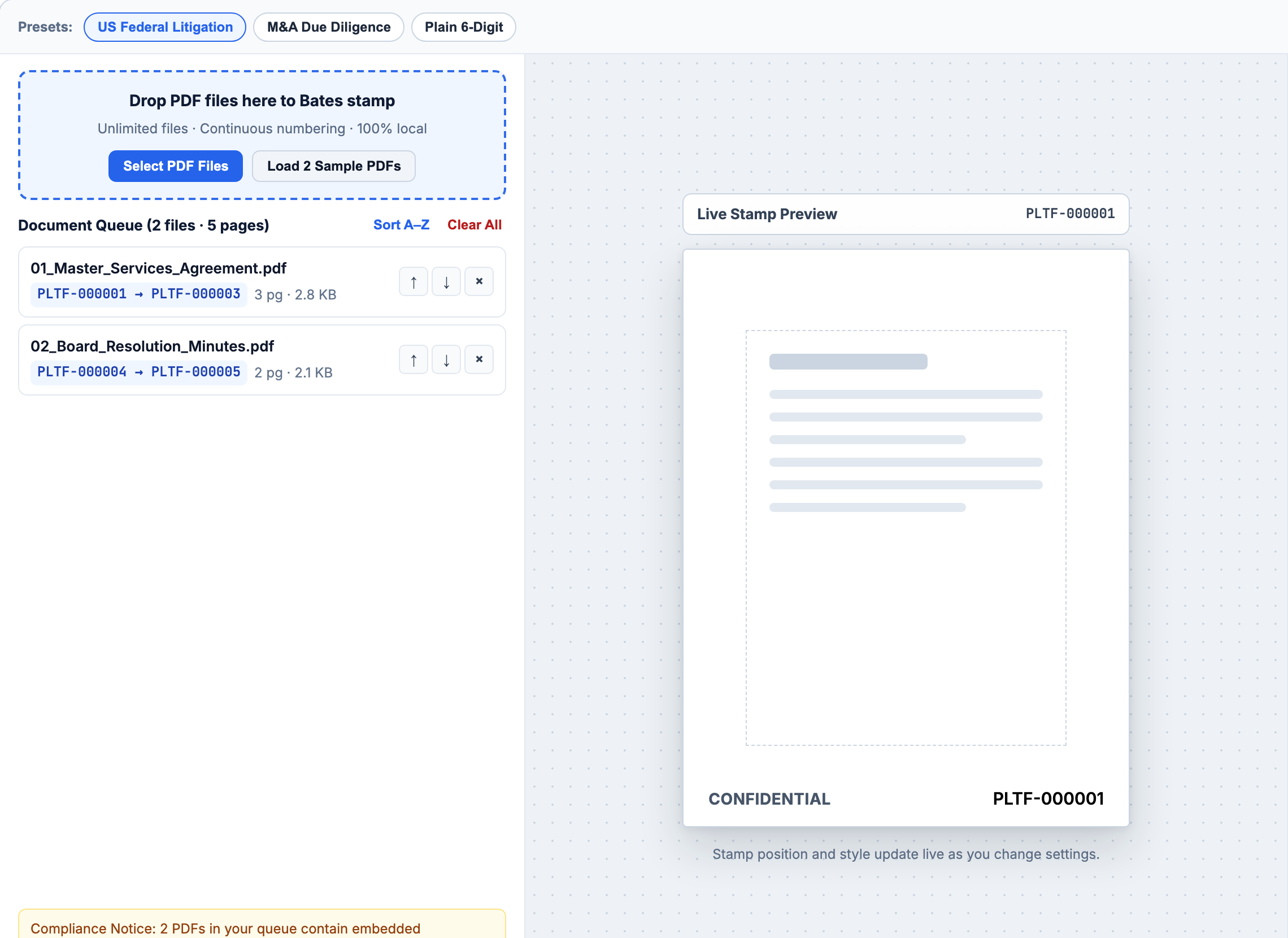
Open the tool, drop in your PDFs, keep the local-processing indicator visible, set a prefix and starting number, then export a ZIP or merged PDF with the CSV log. Everything runs in browser memory — nothing is uploaded, and there is no sign-up to abandon when the job is done.
Frequently Asked Questions
What is the best free Bates stamp alternative?
If you want free, no-signup Bates stamping that keeps privileged PDFs on your device, LegalProofKit is a strong starting point: it runs entirely in the browser, stamps multiple PDFs in one continuous sequence, and exports an Excel-ready CSV log with SHA-256 hashes at no cost. For simple single-file jobs, tools like PDF Overlay are also worth a look.
Do free Bates stamp tools put watermarks on output?
Some do. Bindery, for example, includes a watermark on free exports and removes it on paid plans. LegalProofKit adds no watermark to any export, and there is no paid tier to upgrade to.
Are these tools really free, or is there a paid upgrade?
It depends on the tool. BatesFast offers one free production then requires a roughly $199 license; PDFinish gives two free uses then starts around $2.99/month; Mapsoft offers one free try then around $7/month. LegalProofKit has no paid tier, no credit-card prompt and no usage counter.
Can I trust a tool's claim that files stay on my device?
Treat vendor privacy claims as claims, not audits. Verify with the airplane-mode test: load the page, disconnect your connection, then complete a full stamping job — if it still works, no document bytes were sent. You can also watch the Network tab in Developer Tools while processing a test PDF.
Can I open the CSV Bates log in Excel?
Yes. LegalProofKit exports Bates_Log.csv with UTF-8 BOM encoding so Microsoft Excel and Google Sheets open it without garbled characters. It includes BegBates, EndBates, page counts, SHA-256 hashes, document names and UTC timestamps.
Ready to Bates stamp confidential PDFs locally with zero uploads?
Open the Free Bates Stamp Tool