
Bates Numbering for Insurance Claims — Demand Packets & Damages Indexing
Order policy exhibits, medical records, itemized bills, and EOBs cleanly and tie Bates ranges directly to damages tables—100% locally.
Assembling Demand Packets & Claim Defense Binders With Bates Numbers
Claims adjusters, insurance defense counsel, subrogation teams, and plaintiff attorneys build claim packets from dozens of disparate PDFs—policy declarations, police reports, treatment notes, itemized hospital bills, Explanations of Benefits (EOBs), and repair estimates. LegalProofKit numbers and indexes these sensitive medical and financial PDFs strictly inside your local browser memory with zero server transmission—see our Zero-Upload Security Architecture for privacy verification.
1. Recommended Exhibit Order for Insurance Demand & Defense Packets
Ordering documents logically before stamping allows adjusters, mediators, and arbitrators to verify liability and damages without hunting through unindexed attachments. Use our multi-PDF continuous stamping tool to lock this standard claim-file sequence:
- Policy & Coverage Documents (
CLM-000001onward): Declarations page, relevant endorsements, and reservation-of-rights letters. - Liability & Incident Evidence: Police/incident report, witness statements, scene photographs, and property inspection reports.
- Medical Chronology & Treatment Records: Emergency room records, imaging reports, specialist notes, and physical therapy progress notes in chronological order.
- Itemized Medical Bills & EOBs: Hospital UB-04 / CMS-1500 billing statements, pharmacy receipts, and health-insurer subrogation ledgers.
- Property Damage & Wage-Loss Verification: Auto-body or contractor repair estimates, total-loss valuations, and employer wage-loss letters.
2. Tying Bates Page Ranges to Itemized Damages Tables
In settlement demand letters and arbitration briefs, every dollar claimed should cite its exact supporting Bates span—for example, "Regional Medical Center ER Billing ($14,280.50) — see CLM-2026-0419-000042 to CLM-2026-0419-000046."
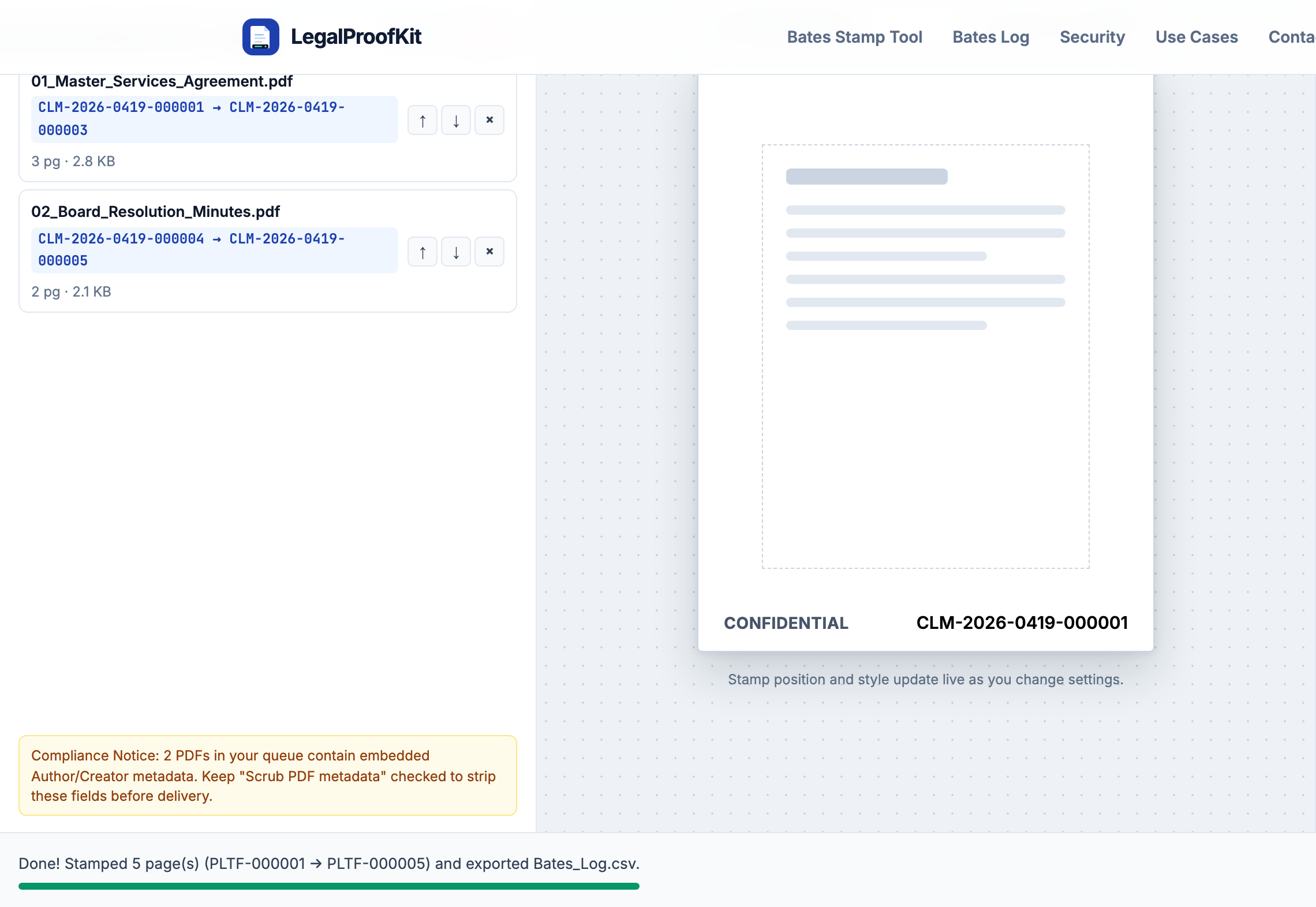
- Protect Bottom-Line Billing Totals: Hospital bills, EOB tables, and repair estimates frequently print grand totals and CPT/ICD codes within millimeters of the bottom edge. Keep Smart Shrink-to-Fit Margins enabled (92% centered scaling) so your Bates stamp never covers a dollar total or service date.
- ZIP Exhibits vs. Single Merged Demand Packet: Export a ZIP Bundle when uploading separate exhibits to a carrier portal, or select Single Merged PDF to deliver one continuous mediation binder paired with
Bates_Log.csvfor instant damages cross-checking.
Frequently Asked Questions
What order should documents follow in a Bates-numbered insurance demand packet?
Place policy declarations and coverage letters first, followed by liability/incident reports, chronological medical treatment records, itemized medical bills and EOBs, and finally repair estimates or wage-loss documentation.
How do I link itemized medical bills and dollar totals to Bates numbers in a demand letter?
Export Bates_Log.csv alongside your stamped demand packet so every provider's itemized bill has an exact BegBates-to-EndBates span you can copy directly into your demand letter's damages summary table.
How do I stop Bates stamps from covering totals on medical bills and EOB tables?
Keep Smart Shrink-to-Fit Margins enabled (92% centered scaling). It preserves Letter/A4 page dimensions while creating a clean white border so Bates stamps never cover CPT codes, EOB totals, or estimate subtotals near the page edge.
Should insurance claim packets be exported as individual PDFs or a single merged PDF?
Use ZIP Bundle when a carrier portal or opposing counsel requires individual PDF exhibits named by starting Bates number; choose Single Merged PDF when sending one continuous demand packet or mediation binder.
Ready to Bates stamp confidential PDFs locally with zero uploads?
Open the Free Bates Stamp Tool