
Custom Bates Numbering: Prefix, Suffix, Start Number & Digits
Bates numbering is more than a counter. Set a prefix, an optional suffix, a starting number and the digit width, then choose placement, font, size and colour — all previewed live before you export.
The short answer
You can customise Bates numbering with three core fields — prefix, starting number and digit padding — plus an optional suffix. Most tools also let you choose stamp position, font, size and colour. LegalProofKit exposes all of these in one settings panel with a live preview, and it runs entirely in your browser.
The fields that make up a Bates number
| Setting | What it does | Example |
|---|---|---|
| Prefix | Text before the number | CASE2026- |
| Starting number | First number in the sequence | 1 |
| Zero-padding | Total number of digits | 6 → 000001 |
| Suffix | Text after the number | -CONF |
| Position | Where the stamp appears | Bottom right |
| Font & size | Typeface and point size | 9 pt Sans |
| Colour | Stamp text colour | Black |
Putting these together, CASE2026- + 1 + 6 digits + -CONF produces CASE2026-000001-CONF.
Common format examples
| Purpose | Format | Configuration |
|---|---|---|
| Standard litigation | ABC-000001 |
Prefix ABC-, start 1, 6 digits |
| Confidential documents | CASE-000001-CONF |
Prefix CASE-, suffix -CONF |
| Continue an existing set | DOC-000251 |
Prefix DOC-, start 251, 6 digits |
| Exhibit labelling | EXHIBIT-A-000001 |
Prefix EXHIBIT-A-, start 1 |
How to configure it in LegalProofKit
- Open the tool and set the Prefix (for example
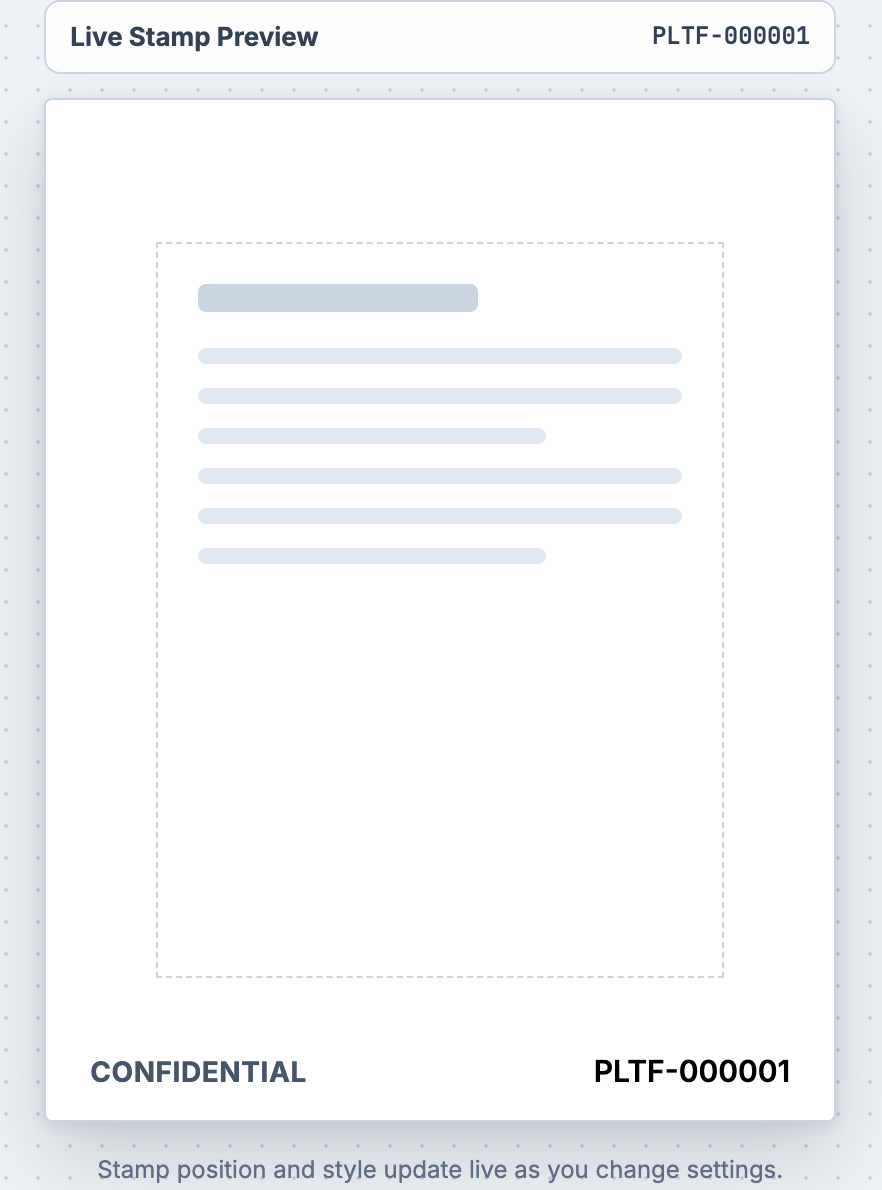
PLTF-) and an optional Suffix. - Enter the Start Number and the Zero-Padding digit count with the stepper or number field.
- In Stamp Style, pick a font family, size (6–38 pt), bold/italic, a colour and the placement corner.
- Add a Confidentiality Stamp in the opposite corner if your protective order requires it.
- Check the live preview, then stamp and export — the CSV log records every BegBates and EndBates range.
Legal conventions to keep in mind
There is no single nationwide Bates format. Local court rules, ESI protocols and protective orders set the requirements, commonly 6–8 zero-padded digits in the bottom-right corner at 9–10 pt. When resuming a production, keep the prefix and digit length identical and start one number above the last assigned value so no identifier is duplicated. This is a document-preparation guide, not legal advice — confirm the format with your case team.
Frequently Asked Questions
What is a Bates number format?
A Bates number is a prefix followed by a zero-padded sequential number, and optionally a suffix — for example CASE2026-000001-CONF. The prefix identifies the producing party or case, the digits make the sequence sortable, and the suffix can mark confidentiality.
Can I set a custom starting number and digit width?
Yes. In LegalProofKit you can enter any starting number and choose 1 to 12 zero-padded digits. Six digits (000001) is the most common convention; use more if your production will exceed 999,999 pages.
Can I add a suffix to a Bates number?
Yes. LegalProofKit has an optional suffix field, so you can produce formats like CASE-000001-CONF. Combine it with the separate confidentiality stamp field to place designations in the opposite corner.
How do I continue numbering without duplicate identifiers?
When continuing an existing production, keep the same prefix and digit width and set the starting number to one greater than the last number already assigned. This avoids duplicate Bates numbers across batches.
Can I change the font, size, colour and position of the stamp?
Yes. Choose from PDF built-in standard fonts, 6–38 pt sizes, bold and italic, common colours or a custom picker, and six placement positions. No font files are embedded or distributed, so no font licence is needed.
Ready to Bates stamp confidential PDFs locally with zero uploads?
Open the Free Bates Stamp Tool