
Bates Numbering for Law Firms — Protective Orders & FRCP Productions
Corner conventions, privilege-log alignment, and FRCP 26/34 production practices for litigation teams using browser-local Bates stamping.
Protective Order Corner Conventions & FRCP 26 / 34 Productions
In civil litigation under Federal Rules of Civil Procedure (FRCP) Rules 26 and 34, producing counsel must deliver exhibits in an organized, citable format that complies with stipulated ESI protocols and protective orders. LegalProofKit executes every Bates stamp locally in your browser memory with zero file uploads—see our Zero-Upload Security Architecture for IT verification steps, or email contact@legalproofkit.com if your firm's IT team needs a written allowlist summary.
1. Standard Corner Placement Under FRCP Rule 26(c) Protective Orders
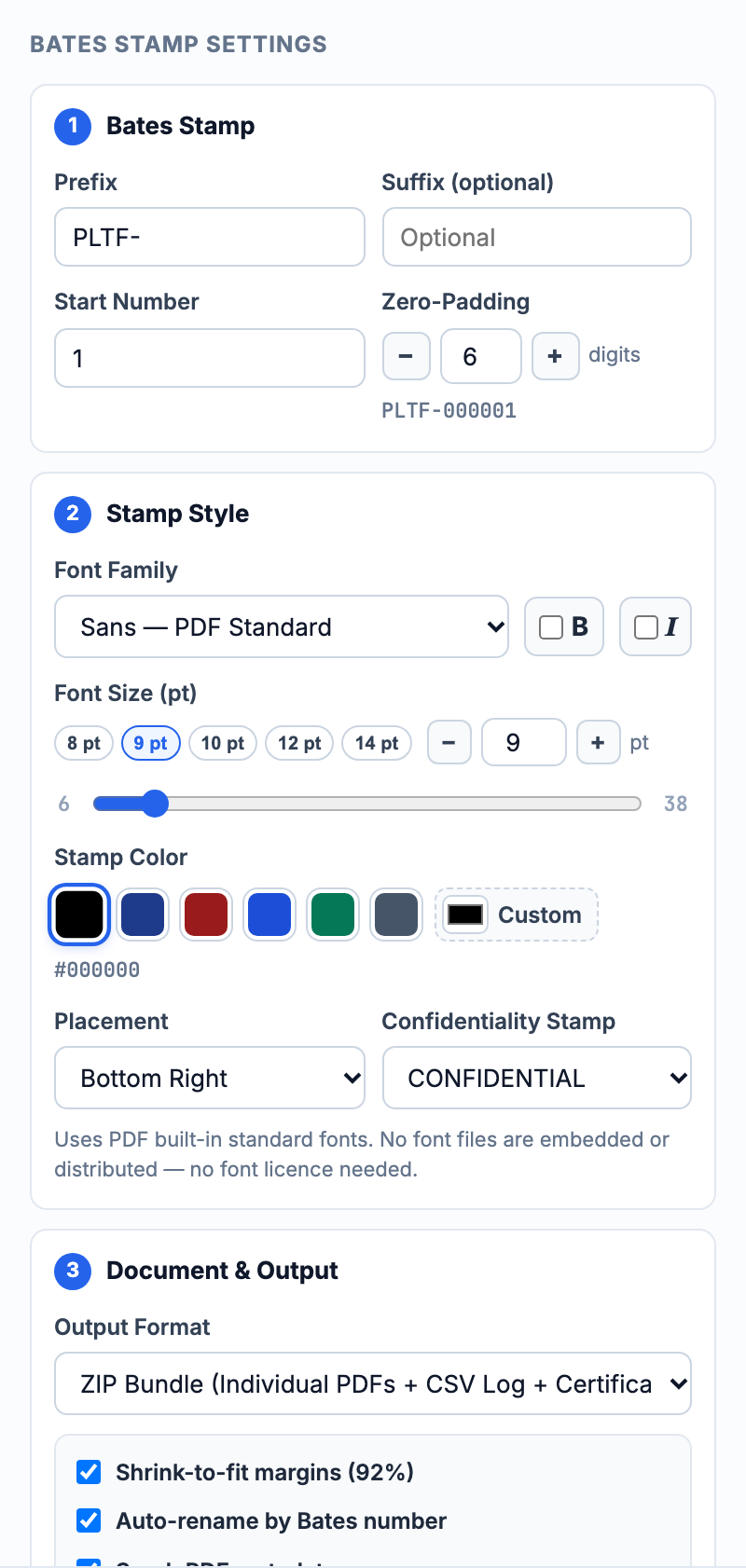
When a court enters a two-tier protective order, counsel must keep source identifiers visually distinct from confidentiality designations so neither is clipped during courtroom projection or deposition copying:
- Bottom-Right Corner (Bates Identifier): Assign a party-specific prefix plus 6–8 zero-padded digits (
PLTF-000001,DEF-000001, orACME-00000001) in 9–10 pt black Helvetica or Courier. - Bottom-Left Corner (Confidentiality Designation): Stamp
CONFIDENTIALorATTORNEYS' EYES ONLYopposite the Bates number. LegalProofKit places the secondary stamp in the opposite bottom corner automatically and records the designation per document inBates_Log.csv. - Margin Safety on Signed & Scanned Exhibits: Wet-ink signature blocks and fax footers often sit within 0.3 inches of the page edge—protect dense exhibit margins with 92% shrink-to-fit scaling before stamping.
2. Aligning Bates Ranges With Privilege Logs
A clean privilege log under FRCP Rule 26(b)(5) depends on separating withheld documents from redacted productions before numbering:
- Withheld in Full: Do not stamp withheld privileged emails or memos into the main sequence; track them by Privilege Log ID (
PRIV-001) so your produced Bates sequence has zero unexplained gaps. - Produced With Redactions: Permanently redact privileged paragraphs first, flatten the PDF, then include the document in your Bates batch so opposing counsel sees the exact
BegBates–EndBatesrange and can match it to your redaction log entry. - Audit-Ready Production Index: Use our Excel-ready CSV Bates log generator to export
BegBates,EndBates, page counts, confidentiality tiers, and SHA-256 hashes for your cover letter and case management binder.
Note: LegalProofKit is a software utility, not a law firm, and does not provide legal advice. Always verify formatting against local court rules and your matter's stipulated protective order.
Frequently Asked Questions
Where should confidentiality stamps go relative to Bates numbers under a protective order?
Under FRCP Rule 26(c) protective orders, the prevailing convention places the Bates number in the bottom-right corner and the confidentiality designation (CONFIDENTIAL or ATTORNEYS' EYES ONLY) in the bottom-left corner so both remain legible in depositions and summary judgment exhibits.
Should withheld privileged documents receive Bates numbers?
Do not assign production Bates numbers to documents withheld in full—assign separate privilege log IDs (such as PRIV-001) instead so your produced Bates sequence stays continuous without unexplained gaps. Only documents produced in full or produced with redactions should receive production Bates numbers.
How can paralegals track which Bates ranges carry confidentiality designations?
Yes. Export Bates_Log.csv alongside your stamped ZIP archive and filter by the Confidentiality_Stamp column to verify every CONFIDENTIAL or ATTORNEYS' EYES ONLY range before serving opposing counsel.
Does FRCP Rule 34 mandate a specific Bates numbering format?
Under FRCP Rules 26 and 34, there is no single nationwide format; courts defer to local rules and the parties' stipulated ESI protocol. Most federal productions use an uppercase party prefix followed by 6 to 8 zero-padded digits (e.g., PLTF-000001).
Ready to Bates stamp confidential PDFs locally with zero uploads?
Open the Free Bates Stamp Tool